Dr. Haresh AdwaniJune 202612 min read
Form 16 for Income Tax Filing
One document arrives in your inbox. Thousands of tax filing mistakes follow.
That document is Form 16. Every salaried employee in India receives it from their employer once the financial year ends and almost every year, lakhs of taxpayers make the same critical error: they treat Form 16 as the complete picture, file their Income Tax Return (ITR) based on it alone, and unknowingly leave out income that the Income Tax Department already knows about.
The result? Tax notices, demand letters, and avoidable penalties.
According to the Income Tax Department of India, every taxpayer is individually responsible for disclosing all sources of income even those not reflected in their salary certificate. Form 16 for income tax filing is a powerful starting point, but it is only the beginning.
In this guide, tax experts at Adwani and Company led by Dr. Haresh Adwani, PhD in Commerce and a law graduate with extensive legal knowledge break down everything you need to know about Form 16, what it covers, what it misses, and how to use it correctly for a clean, accurate ITR filing in AY 2026-27.
What Is Form 16 for income tax filing and Why Does It Matter for Income Tax Filing?
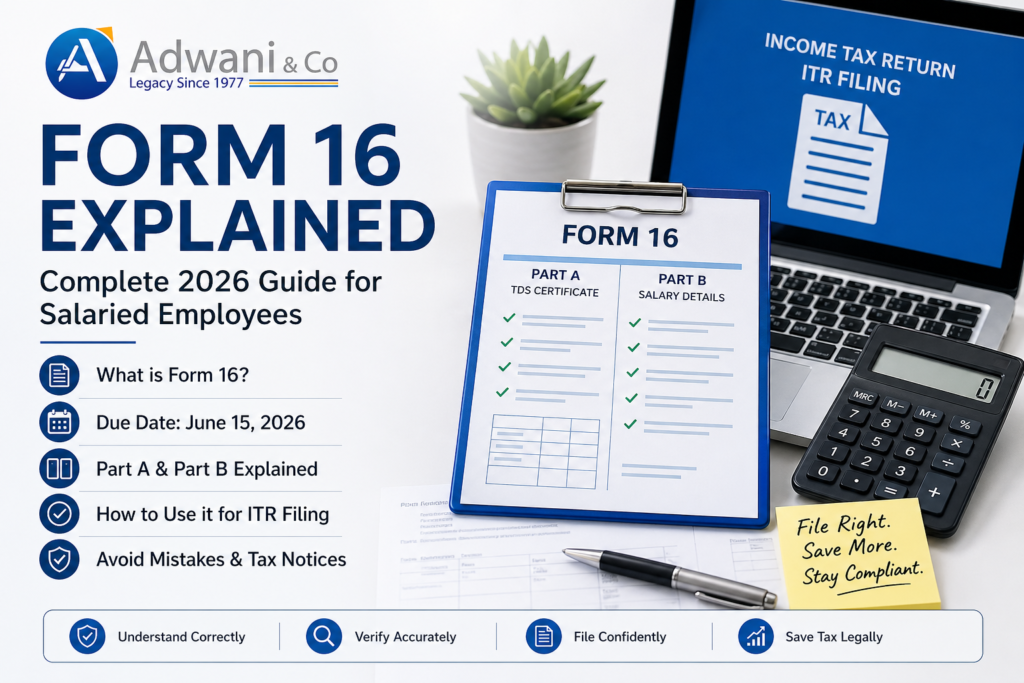
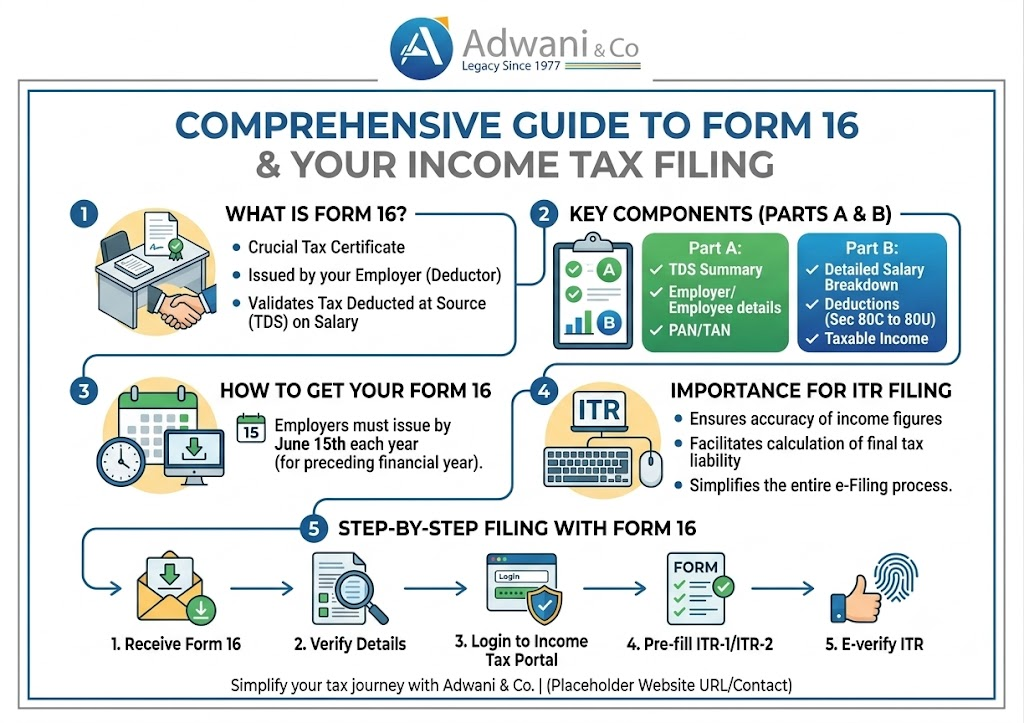
Form 16 is a TDS Certificate issued by your employer under Section 203 of the Income Tax Act, 1961. It serves as a formal record of:
- Your total salary paid during the financial year
- Tax Deducted at Source (TDS) on your salary by the employer
- Deductions claimed under Chapter VI-A (80C, 80D, HRA, etc.)
- Tax deposited with the Central Government on your behalf
The document is divided into two critical parts that every taxpayer must understand before proceeding with Form 16 income tax return filing:
| Form 16 Part A | Form 16 Part B |
| Employer details, PAN, TAN | Detailed salary breakup |
| TDS amount deposited with government | Allowances: HRA, LTA, Special |
| Quarter-wise TDS deposition summary | Exemptions claimed under Section 10 |
| Generated via TRACES portal (CBDT) | Deductions under Chapter VI-A (80C, 80D, etc.) |
| Mandatory for all salaried employees | Taxable income computation |
The Most Dangerous Misconception About Form 16 for Income Tax Filing
Here is the single most dangerous assumption salaried professionals make every year:
| “My employer gave me Form 16. My taxes are sorted. I just upload it and I’m done.” |
This assumption is incorrect and it costs taxpayers money, time, and stress every filing season.
Form 16 only captures income your employer paid you and the TDS they deducted on it. It does not cover income you earned independently throughout the year. The Income Tax Department receives data from multiple sources banks, mutual fund registrars, stockbrokers, SEBI-registered entities through the Annual Information Statement (AIS) and Form 26AS. If you omit income that already appears in the AIS, a mismatch notice under Section 143(1) becomes almost inevitable.
As Dr. Haresh Adwani of Adwani and Company explains: “Every year we see clients who receive notices for income they forgot to declare not because they were dishonest, but because they simply assumed Form 16 covered everything. It does not. A complete ITR demands a complete disclosure of all income.”
Income Sources Not Covered in Form 16 for Income Tax Filing
The following income categories are commonly missed by salaried taxpayers who rely solely on Form 16 for income tax filing. You must disclose all of these separately in your ITR:
1. Interest Income from Savings Accounts and Fixed Deposits
Banks and post offices report interest paid to the Income Tax Department. Interest income from savings accounts beyond ₹10,000 per year is taxable (Section 80TTA provides a deduction up to ₹10,000 for savings interest). Fixed deposit interest is fully taxable at your slab rate. Many taxpayers forget to add FD interest and banks already report it to the AIS.
| Practical Example: Mr. Suresh earns ₹12 lakh salary. His Form 16 shows ₹1,08,000 TDS. But he also has ₹85,000 interest from three FDs across two banks. He files ITR without adding FD interest. The AIS shows the FD interest. He receives a Section 143(1) demand of ₹26,350 plus interest under Sections 234A/B. A simple ₹85,000 omission costs him over ₹26,000 in taxes and penalties. |
2. Capital Gains from Shares and Mutual Funds
If you sold equity shares, equity mutual funds, debt funds, or debt mutual funds during FY 2025-26, the capital gains must be reported. This is among the most frequently missed disclosures:
| # | Asset Type | Tax Treatment |
| 1 | Equity shares / Equity MFs held > 12 months | LTCG taxable above ₹1.25 lakh at 12.5% (post-Budget 2024) |
| 2 | Equity shares / Equity MFs held < 12 months | STCG at 20% |
| 3 | Debt mutual funds (all holding periods) | Taxable at slab rate as per FY 2023-24 amendment |
| 4 | Unlisted shares held > 24 months | LTCG at 12.5% without indexation |
| 5 | Unlisted shares held < 24 months | Taxable at slab rate |
The Central Board of Direct Taxes (CBDT) receives transaction data from depositories (CDSL, NSDL) and registrar and transfer agents (CAMS, KFintech). Your gains are visible to the department even if your employer is unaware.
3. Rental Income from Property
If you own and rent out residential or commercial property, the rental income — after deducting a standard 30% on net annual value and home loan interest — must be declared under Income from House Property. Form 16 does not touch this income. Many salaried employees who rent out a second property forget this entirely.
4. Income from Previous Employers
If you changed jobs during FY 2025-26, you will receive multiple Form 16s — one from each employer. Both salaries must be totalled and reported. A common mistake: employees let the new employer compute TDS based only on current employer income, leading to shortfall in tax payment and a demand notice at the time of ITR processing.
5. Freelance, Consultancy, or Business Income
Any income earned through freelancing, content creation, part-time consulting, or online platforms (Upwork, Fiverr, YouTube monetization, Instagram collaborations) is taxable as Income from Business or Profession or Income from Other Sources, depending on regularity and scale. Salaried professionals who moonlight often forget that this income sits outside their Form 16 entirely.
6. Gifts and Other Income
Gifts received from non-relatives exceeding ₹50,000 in a financial year are taxable under Section 56(2)(x). Lottery winnings, game show prizes, and online gaming winnings now face a flat 30% TDS under Section 194BA. All must be declared.
How to Cross-Check Form 16 Against AIS and Form 26AS Before Filing
Before you submit your Form 16 income tax return filing, always cross-check your Form 16 against two government documents:
- Annual Information Statement (AIS): Available on the Income Tax e-filing portal. Shows all income reported to the department across 50+ transaction categories.
- Form 26AS: The traditional TDS/TCS credit statement. Cross-check that all TDS deducted by your employer matches Form 26AS discrepancies can cause credit denial.
If you find income in the AIS that is not in your Form 16 interest, dividends, mutual fund redemptions, property purchases include all of it in your ITR. Deliberately omitting AIS-reflected income attracts penalties under Section 270A, which can be up to 200% of the tax evaded in cases of under-reporting.
The team at Adwani and Company routinely reconciles AIS data with Form 16 for clients before filing a step that prevents the majority of notices they would otherwise receive.
Also Read : AIS vs Form 26AS vs Form 16: ITR Filing Guide 2026-27
Choosing the Right ITR Form When Filing With Form 16
Not everyone with a Form 16 should file ITR-1. The form you use depends on your total income profile, not just your salary:
| Sr. No. | ITR Form | Who Should Use It |
| 1 | ITR-1 (Sahaj) | Salary + one house property + other sources (interest). Total income up to ₹50 lakh. No capital gains. |
| 2 | ITR-2 | Salary + capital gains + more than one property + foreign assets or income. Total income any amount. |
| 3 | ITR-3 | Salary + business/profession income (freelancers, consultants with regular clients). |
| 4 | ITR-4 (Sugam) | Presumptive income (Section 44ADA for professionals). Total income up to ₹50 lakh. |
Filing the wrong ITR form such as using ITR-1 when you have capital gains is treated as a defective return under Section 139(9). The department will issue a notice asking you to re-file in the correct form, which adds unnecessary compliance burden. Dr. Haresh Adwani, with his background in commerce and law, emphasises that correct form selection is as important as accurate income disclosure.
Old vs New Tax Regime: What Form 16 Tells You and What It Does Not
Your employer deducts TDS based on the tax regime you chose at the start of the financial year. Form 16 will reflect deductions accordingly. However, at the time of filing, you can switch your regime subject to conditions:
| Old Tax Regime | New Tax Regime (Default from FY 2023-24) |
| Allows deductions: 80C, 80D, HRA, LTA, home loan interest | No most deductions (except NPS, standard deduction) |
| Better for those with high investments + home loans | Better for those with fewer deductions |
| Must be opted in at time of filing for non-business income | Default regime; applies unless you opt out |
| Higher tax rates at lower slabs | Lower slab rates across all income levels |
If your employer deducted TDS under the new regime but you have significant 80C/80D investments and home loan interest, switching to the old regime at the time of filing may result in a tax refund. Adwani and Company helps clients run a quick regime comparison before filing to ensure they do not overpay by defaulting to the employer-chosen regime.
Read our detailed Guide on :Old vs New Tax Regime2025: Stop Guessing, Start Calculating
Key Takeaways: Form 16 and Income Tax Filing Checklist
| Before You File: Complete Form 16 Tax Filing Checklist Download Form 16 Part A and Part B from your employerLog in to incometax.gov.in and download your AIS and Form 26ASList ALL income sources: salary, FD interest, capital gains, rent, freelance, giftsCollect Form 16A / Broker statements / Mutual fund redemption statementsIf you changed jobs, collect Form 16 from all employersRun a regime comparison (old vs new) to optimise tax outflowSelect the correct ITR form based on your complete income profileFile before July 31, 2026 to avoid Section 234F late filing fee (₹1,000–₹5,000) |
Frequently Asked Questions
Q1. Can I file my income tax return using only Form 16?
Technically, Form 16 provides the data you need to file ITR-1 if your only income is salary from one employer with no capital gains. However, if you have any other income — interest, dividends, capital gains, rental income, freelance — you must collect and add those details separately. Relying solely on Form 16 without verifying the AIS is the most common cause of mismatch notices.
Q2. What is the difference between Form 16 Part A and Part B?
Form 16 Part A is generated by the employer through the TRACES portal and contains TDS amounts deposited with the government, quarter-wise. Form 16 Part B is prepared by the employer and contains the detailed salary breakup, exemptions claimed, and deductions allowed. Both parts are required for a complete and accurate ITR filing.
Q3. I changed jobs mid-year. How do I handle Form 16 from two employers?
You will receive two Form 16s — one from your old employer and one from your new employer. Add both salary figures and file ITR-2 or ITR-1 as applicable. Importantly, declare the income from your previous employer to your current employer at the start of your new job so that TDS is calculated on the combined income. Failing to do this leads to a tax shortfall and a demand at ITR processing time.
Q6. What happens if my AIS shows income that I do not recognise?
Log in to incometax.gov.in and raise a feedback on the AIS to mark the transaction as incorrect or not relating to you. However, do not ignore it. Filing an ITR that contradicts unresolved AIS entries can trigger a scrutiny assessment. Consult a CA to evaluate the right course of action.
Q7. What is the penalty for filing ITR late after receiving Form 16?
Under Section 234F, a late filing fee of ₹1,000 applies if total income is up to ₹5 lakh, and ₹5,000 if total income exceeds ₹5 lakh. Additionally, interest under Sections 234A, 234B, and 234C applies on any outstanding tax liability. The due date for most salaried taxpayers for AY 2026-27 is July 31, 2026.
Conclusion:
Every July, millions of Indian salaried employees file their income tax returns with the best of intentions and many still receive demand notices months later. Not because they were dishonest, but because they stopped at Form 16 when the filing process required them to go further.
Form 16 for income tax filing is the foundation the salary certificate that tells you what your employer paid you and what TDS was deducted. But the Income Tax Department sees far more: your FD interest, your mutual fund gains, your stock trades, your rental income. The AIS aggregates it all. Your ITR must match.
A thorough, compliant ITR is not complicated it requires organisation, awareness, and ideally, professional guidance. At Adwani and Company, Dr. Haresh Adwani and the CA team have guided hundreds of salaried professionals through exactly this process: ensuring that their Form 16 data, their AIS income, their investments, and their gains are all correctly disclosed in a clean, penalty-free return.
Tax season does not have to be stressful. With the right advisor, your Form 16 income tax return filing becomes straightforward and accurate filed once, filed correctly, filed with confidence.
Author
PhD Commerce | Law Graduate
Founder and Senior Partner, Adwani and Company. Over 40 years of expertise in income tax, corporate law, GST, and financial advisory.
Legal Disclaimer: This article is published for informational and educational purposes only. Nothing contained herein constitutes legal, financial, or tax advice, nor should it be treated as a substitute for professional consultation tailored to your specific circumstances. Tax laws, rates, and provisions are subject to change; readers are strongly advised to consult a qualified Chartered Accountant or tax advisor before acting on any information in this article.
All content is original. References to government portals and statutory provisions are paraphrased for educational purposes in compliance with fair use principles. No content has been reproduced from third-party sources