Key Takeaways
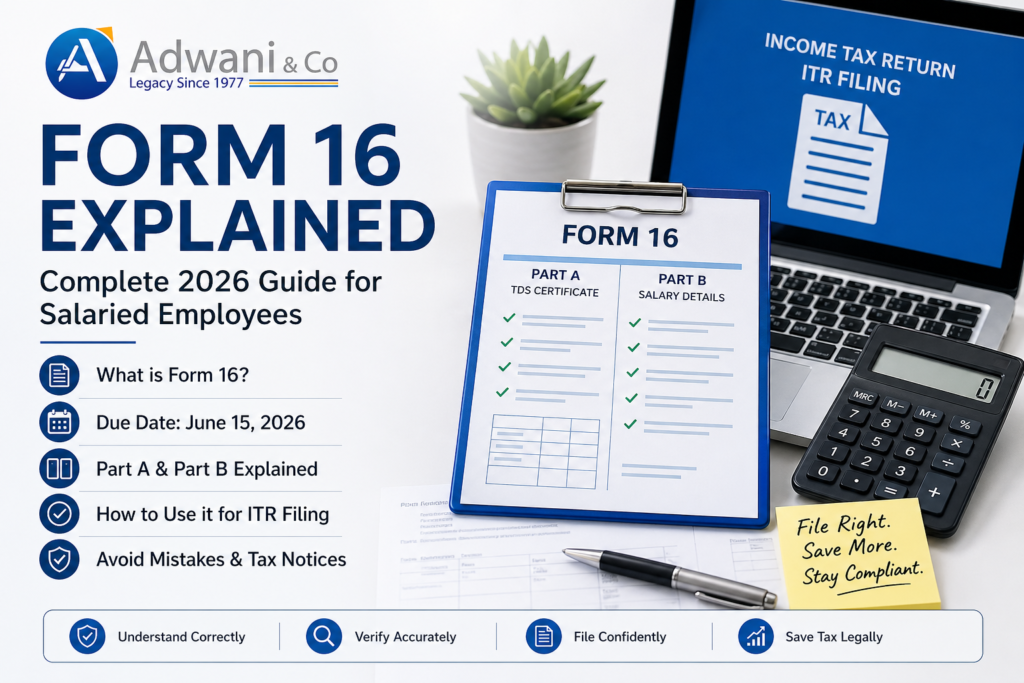
- Form 16 is a TDS certificate legally required under Section 203, Income Tax Act, if your employer deducted any tax on your salary.
- Deadline: June 15, 2026. Your employer must issue Form 16 by this date or face ₹100/day penalty.
- Form 16 has two parts: Part A (TRACES TDS certificate) and Part B (salary breakdown). Both are critical for ITR filing.
- Cross-check Form 16 against Form 26AS to catch discrepancies. Wrong PAN on Form 16 means lost TDS credit.
- You can file ITR without Form 16 using salary slips + Form 26AS, but Form 16 makes filing faster and reduces errors.
What is Form 16? Learn everything about Form 16 its parts, importance, due date, how to download it, and how to use it to file your income tax return in 2026. Simple guide by Adwani & Co LLP.
Every year, around the time income tax returns are due, one document becomes the most searched, most asked-about, and honestly most misunderstood piece of paper in the life of a salaried employee in India.
That document is Form 16.
If you’ve ever wondered what Form 16 actually is, why your employer gives it to you, what all those numbers inside it mean, or how to use it to file your income tax return you’re in the right place.
This guide breaks it all down. No jargon. No confusion. Just a clear, honest explanation of everything you need to know about Form 16 in 2026.
Also Read:
https://www.adwaniandco.com/blog/fatca-crs-foreign-assets-disclosure-doctors
What Is Form 16?
Form 16 is a TDS certificate issued by your employer. TDS stands for Tax Deducted at Source which means your employer deducts income tax from your salary every month before paying you, and deposits that tax directly with the government on the official Income Tax Portal.
Form 16 is proof of that. It tells you and the Income Tax Department exactly how much salary you earned and how much tax was deducted from it during the financial year.
Think of it as your employer’s official statement saying: “Here’s what we paid this employee, here’s what we deducted as tax, and here’s what we deposited with the government.”
Under Section 203 of the Income Tax Act, every employer who deducts TDS on salary is legally required to issue Form 16 to their employees.
Who Gets Form 16?
Not every salaried employee automatically gets Form 16. Here’s the rule:
| Situation | Do You Get Form 16? |
|---|---|
| Your salary is above the basic exemption limit and TDS was deducted | Yes employer must issue Form 16 |
| Your salary is below the exemption limit and no TDS was deducted | Technically not mandatory, but many employers still issue it |
| You switched jobs during the year | You get Form 16 from each employer separately |
| You worked on contract / as a freelancer | You get Form 16A, not Form 16 (different document) |
The basic exemption limit for FY 2025–26 is ₹2.5 lakh under the old tax regime and ₹3 lakh under the new tax regime. If your income exceeds this and your employer has deducted TDS you will receive Form 16.
When Does Your Employer Issue Form 16?
By law, Form 16 must be issued by 15th June of the year following the financial year.
| Financial Year | Form 16 Deadline |
| FY 2025-26 (Apr 2025 – Mar 2026) | June 15, 2026 |
So if you’re filing your ITR for FY 2025–26, your employer must give you Form 16 by 15th June 2026. Most employers issue it a few weeks earlier, especially in large organizations.
If your employer hasn’t issued Form 16 by 15th June, they can face a penalty of ₹100 per day under Section 272A(2)(g) of the Income Tax Act. So you have every right to follow up and ask for it.
The Two Parts of Form 16 – Explained Simply
This is where most people get confused. Form 16 is not one document it has two distinct parts: Part A and Part B. Both are important. Both serve a different purpose.
Form 16 Part A The TDS Summary
Part A is generated directly by the TRACES portal (the Income Tax Department’s TDS system). Your employer downloads it from there and issues it to you. This is why Part A has a TRACES watermark and a unique certificate number.
Part A is generated from the official TRACES portal
Part A tells you:
| Information in Part A | What It Means |
|---|---|
| Employer’s name, address, and TAN | Details of who deducted your TDS |
| Your name, address, and PAN | Confirms it’s your certificate |
| Assessment Year | The year for which tax was deducted (e.g., AY 2026–27) |
| Period of employment | The months during which you worked with this employer |
| Summary of TDS deducted and deposited | Quarter-wise breakdown of how much tax was deducted and deposited |
One critical check: Make sure your PAN number on Form 16 Part A is correct. If the PAN is wrong, the TDS credit won’t show up in your Form 26AS and you won’t be able to claim credit for the tax deducted.
Form 16 Part B – Your Salary Breakdown
Part B is prepared by your employer (not downloaded from TRACES). It is a detailed statement of your salary and the various deductions applied under the Income Tax Act before arriving at your taxable income.
Part B typically includes:
| Component in Part B | What It Covers |
|---|---|
| Gross salary | Total CTC components basic, HRA, allowances, bonuses, etc. |
| Exempt allowances | HRA exemption, LTA exemption, standard deduction (₹50,000) |
| Net taxable salary | Gross salary minus exempt allowances |
| Deductions under Chapter VI-A | Section 80C (PF, LIC, ELSS, PPF), 80D (health insurance), 80G (donations), etc. |
| Total taxable income | After all deductions |
| Tax computed | Based on applicable tax slab |
| Rebate under Section 87A | If applicable (income below ₹5 lakh / ₹7 lakh under new regime) |
| TDS deducted | Final tax deducted from salary |
Part B is essentially a ready-made income tax computation done by your employer. When you sit down to file your ITR, most of the numbers you need are right here.
The Real Story: Why Form 16 Verification Matters
Rajesh Kumar, 32, IT Professional, ₹18 lakh salary
Rajesh received Form 16 in June 2025 and immediately filed his ITR using Part B numbers without verification. Three months later: Section 143(2) notice arrived. The issue? His employer had wrongly calculated HRA exemption in Form 16 Part B (₹4 lakh claimed vs ₹2.5 lakh eligible based on actual rent paid).
Consequence: Additional tax of ₹65,000 + 20% penalty + interest charges + 18 months of correspondence.
Our Solution: We filed detailed response with rent receipts and landlord’s PAN, requested closure under Settlement scheme. Result: Penalty waived, only ₹40,000 additional tax finally paid.Key Learning: Never use Form 16 blindly. Verify Part B calculations against salary slips. HRA, allowances, and deductions must match reality
Form 16 vs Form 16A vs Form 16B – What’s the Difference?
This confuses a lot of people. Let’s clear it up once and for all:
| Document | Issued By | For What Income | Who Receives It |
|---|---|---|---|
| Form 16 | Employer | Salary income | Salaried employees |
| Form 16A | Banks, companies, others | Non-salary income (FD interest, professional fees, rent, etc.) | Anyone on whom TDS is deducted for non-salary income |
| Form 16B | Property buyer | Sale of immovable property | Property seller |
If you have a salary job and also earn FD interest, you’ll receive both Form 16 (from your employer) and Form 16A (from your bank). Both need to be considered when filing your ITR.
How to Download Form 16 Step by Step
As an employee, you typically receive Form 16 directly from your employer either physically or via email. But if you need to verify it or download it yourself, here’s how:
For employees through TRACES:
- Visit traces.gov.in
- Log in as a taxpayer using your PAN and password
- Go to Downloads → Form 16
- Select the relevant assessment year
- Download Form 16 Part A
Note: Only Part A is available on TRACES for individual employees. Part B is issued by the employer and is not available on the portal.
Pro tip: Always cross-check your Form 16 data with your Form 26AS and Annual Information Statement (AIS) on the Income Tax portal. If there are mismatches, resolve them before filing your ITR mismatches are one of the most common triggers for income tax notices.
How to Use Form 16 to File Your Income Tax Return (ITR)
This is the part that really matters. Here’s a simple step-by-step guide to using Form 16 for ITR filing:
Step 1 – Collect All Your Form 16s
If you changed jobs during the year, collect Form 16 from each employer. You need all of them the income and TDS from each period needs to be combined.
Step 2 – Check Form 26AS and AIS
Log into incometax.gov.in, go to your account, and download your Form 26AS and AIS. These show all income and TDS details as recorded by the IT Department. Match them with your Form 16 they should align. Any mismatch needs to be sorted out before you proceed.
Step 3 – Choose the Right ITR Form
| Your Situation | ITR Form to Use |
|---|---|
| Salaried income + one house property + savings interest | ITR-1 (Sahaj) |
| Salaried income + capital gains (stocks, mutual funds) | ITR-2 |
| Business income in addition to salary | ITR-3 |
| Salaried employee with presumptive business income | ITR-4 |
For most salaried employees, ITR-1 is the right form.
Step 4 – Enter Income Details from Part B
Using Form 16 Part B, fill in:
- Gross salary
- Exempt allowances (HRA, LTA, standard deduction)
- Net taxable salary
- Deductions under Chapter VI-A (80C, 80D, etc.)
- Total taxable income
Step 5- Verify TDS Credit from Part A
From Form 16 Part A, confirm the TDS amount that was deducted and deposited. This will appear as a credit in your tax calculation reducing your final tax liability.
Step 6- Calculate and Pay Any Balance Tax
If your total tax liability exceeds the TDS already deducted, you need to pay the balance as Self Assessment Tax before filing. If TDS exceeds your liability, you’ll get a refund after filing.
Step 7- File and Verify Your ITR
Submit your return on the Income Tax portal and complete e-verification within 30 days using Aadhaar OTP, net banking, or by sending a signed ITR-V to the CPC, Bangalore.
What If You Don’t Receive Form 16?
This happens more than you’d think especially with small employers or if you’ve left a company on bad terms. Here’s what you can do:
| Situation | What to Do |
|---|---|
| Employer hasn’t issued Form 16 by 15th June | Formally request it in writing / email |
| Employer refuses or is unresponsive | File a complaint on the TRACES portal or with your jurisdictional income tax officer |
| You lost your Form 16 | Ask HR for a duplicate; Part A can be re-downloaded from TRACES |
| Can you file ITR without Form 16? | Yes use your salary slips, Form 26AS, and AIS to reconstruct the data |
Filing your ITR without Form 16 is possible but more effort-intensive. You’ll need your monthly payslips, bank statements, and the TDS data from Form 26AS to piece everything together.
Important Things to Check on Your Form 16
Before you use Form 16 for anything cross-check these details carefully:
| What to Check | Why It Matters |
|---|---|
| Your PAN number | Wrong PAN = TDS credit not reflected in your account |
| Employer’s TAN | Incorrect TAN means TDS deposit may not be traceable |
| Assessment Year | Ensure it’s the correct year (AY 2026–27 for FY 2025–26) |
| Period of employment | Especially important if you joined or left mid-year |
| HRA exemption calculation | Verify it matches your actual rent paid and city of residence |
| 80C deductions | Check that all your investments (PF, LIC, ELSS, etc.) are correctly reflected |
| TDS amount | Must match what’s shown in Form 26AS any mismatch needs resolution |
Common Form 16 Mistakes and How to Avoid Them
1. Not collecting Form 16 from all employers If you changed jobs, you need Form 16 from every employer you worked with that year. Missing one means under-reporting income which can lead to a notice.
2. Blindly copying Form 16 data without checking AIS The Annual Information Statement captures income from all sources including freelance work, capital gains, and rental income. Cross-check before filing.
3. Claiming HRA exemption without proper documentation Just because your employer has given HRA exemption in Form 16 doesn’t mean you’re automatically safe. If you’re ever asked, you need rent receipts and landlord’s PAN (for rent above ₹1 lakh per year).
4. Ignoring the new tax regime option In 2026, the new tax regime is the default. Your employer may have calculated TDS under the new regime. But you can still choose the old regime while filing if it’s more beneficial for you especially if you have significant 80C investments. The comparison is worth doing every year.
5. Not verifying Form 16 against salary slips Sometimes perquisites or bonuses are included in gross salary on Form 16 but an employee doesn’t notice. Always match Form 16 Part B numbers against your monthly payslips.
Form 16 and the New Tax Regime in 2026
With the new tax regime now being the default for most taxpayers, Form 16 in 2026 may look a little different from what you’re used to. Under the new regime:
| Feature | Old Tax Regime | New Tax Regime |
|---|---|---|
| Standard Deduction | ₹50,000 | ₹75,000 (enhanced from FY 2024–25) |
| HRA Exemption | Available | Not available |
| 80C Deductions | Available | Not available |
| 80D (Health Insurance) | Available | Not available |
| Tax Slabs | Higher rates with exemptions | Lower rates, no exemptions |
| Default Regime | No | Yes (from FY 2023–24 onwards) |
If your employer is deducting TDS under the new regime but you want to switch to the old regime while filing you can do that at the time of ITR filing. The Form 16 will still be valid; you’ll simply recalculate your tax under the old regime.
Deciding which regime is better for you depends entirely on your income level and how much you invest in tax-saving instruments. A tax advisor can run the numbers in minutes and save you thousands.
Penalties Related to Form 16
| Offence | Penalty |
|---|---|
| Employer fails to issue Form 16 by 15th June | ₹100 per day of default under Section 272A(2)(g) |
| Employer issues Form 16 with incorrect information | Liable for penalties under Section 271H |
| Employee files ITR with incorrect income (due to ignoring Form 16 data) | Interest, penalty, and possible scrutiny notice |
| TDS deducted but not deposited by employer | Employee can still claim credit if shown in Form 26AS; employer faces heavy penalties |
Frequently Asked Questions (FAQs)
Q1. What is Form 16 and why is it important?
Form 16 is a TDS certificate issued by your employer showing your total salary earned and tax deducted during the financial year. It is the primary document used for filing your income tax return as a salaried employee.
Q2. What is the due date for Form 16 in 2026?
Employers must issue Form 16 by 15th June 2026 for the financial year 2025–26.
Q3. What is the difference between Form 16 Part A and Part B?
Part A is a TRACES-generated TDS summary showing tax deducted and deposited quarter-wise. Part B is employer-prepared and shows the detailed salary breakup and deductions used to compute taxable income.
Q4. Can I file ITR without Form 16?
Yes. You can use your salary slips, bank statements, Form 26AS, and AIS to file your ITR even without Form 16. However, Form 16 makes the process much easier and reduces the risk of errors.
Q5. What if my Form 16 shows wrong information?
Contact your employer’s HR or payroll department immediately. If Part A has errors, they need to revise the TDS return on TRACES. If Part B has errors, they need to issue a corrected certificate.
About the Author
CA Dipesh Gurubakshni specializes in Income Tax Compliance and Individual Tax Planning at Adwani & Co LLP, he has guided salaried professionals through ITR filing, tax notice resolution, and Form 16 discrepancies.